A patient two miles from your office types “dermatologist near me” and your practice doesn’t show up. Your Google Business Profile is fine. Your website is the problem, and you probably can’t see it from where you sit.
Here at Direction, we’ve run local SEO for healthcare practices since 2016. The same eight fixes keep coming up in our audits, and one hides on a page you probably haven’t opened in a year.
What Is On-Page Local SEO?
On-page local SEO is the work you do on your own website so Google can tell where you are and what you treat. It covers your address and phone details, your service and location pages, and the markup behind them.
Your Google Business Profile tells Google about your practice, and your website has to tell the same story in the same words.
The core techniques look like this.
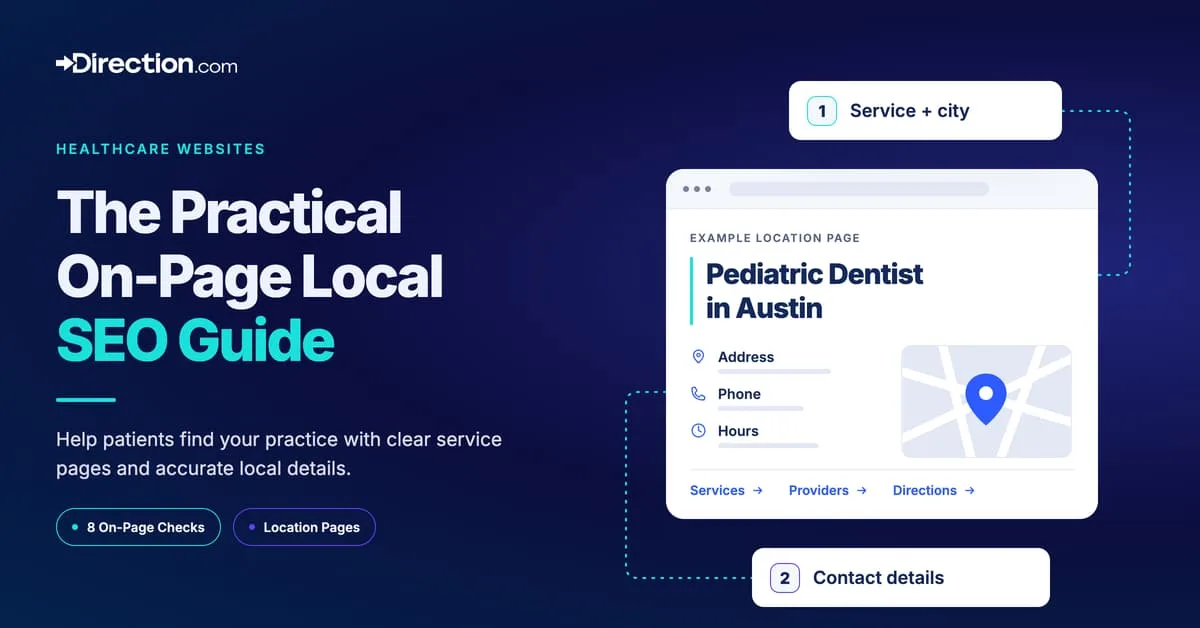
- Meta tags. Put the service and city in your title tag, like “Pediatric Dentist in Austin.”
- Location pages. Build a page for each area you serve, such as “Physical Therapy in Houston.”
- Local keywords. Use the words patients search for in headings, body copy, and image alt text, where they fit.
- URL structure. Keep the service and city in the URL (for example, /dallas-physical-therapy/).
- Website menus. Contact details, service areas, and location pages reachable from any page.
Knowing the local SEO ranking factors behind local results helps you decide which fixes to make first. A few of them pull most of the weight.
Why On-Page Local SEO Matters
Patients search from their phones, and plenty of them skip the city. Google fills in the location for them.
So your pages have to state your address and service area in text Google can read. Otherwise the rest of the work below won’t count for much.
The payoff comes four ways.
- More local visibility. Location terms in your titles and copy help your pages show up for “near me” and city searches.
- Higher conversion rates. A parent searching “pediatrician near me” is usually ready to book. Pages built for that search turn the visit into an appointment.
- A better patient experience. Clear menus, a layout that works on a phone, and local details help patients find what they need and call.
- An edge on competitors. In crowded markets, the practice with the better-built site tends to outrank the one with the better-known name. Learn how to analyze local SEO competition before you pick your targets.
How Patients Phrase Local Searches
The standard local SEO advice assumes patients type a service and a city. Our Ahrefs pull says a lot of them skip the city. We compared Ahrefs’ US estimates for the plain search for 10 practice types (“dermatologist”) with the “near me” version (“dermatologist near me”).
| Practice type | Plain search, monthly | “Near me” search, monthly | “Near me” share |
|---|---|---|---|
| Dentist | 242,000 | 759,000 | 76% |
| Urgent care | 598,000 | 1,540,000 | 72% |
| Dermatologist | 106,000 | 254,000 | 71% |
| Chiropractor | 174,000 | 302,000 | 63% |
| Pediatrician | 99,000 | 126,000 | 56% |
| ENT doctor | 12,000 | 11,000 | 48% |
| Physical therapy | 166,000 | 138,000 | 45% |
| Orthopedic doctor | 20,000 | 16,000 | 44% |
| Audiologist | 43,000 | 26,000 | 38% |
| Pelvic floor therapy | 40,000 | 2,700 | 6% |
For routine and urgent care, most patients add “near me” instead of a city. When a searcher doesn’t share a location, Google uses what it knows about their location to judge distance.
The page wins those searches by stating its address, city, and service area in the same form as its Business Profile. Stuffing “near me” into the copy does nothing (and yes, people still try).
Specialty care runs the other way. Only 6% of pelvic floor therapy searches in this set added “near me.” Our read is that these patients are still learning what the service is, so the page has to explain it before it asks for the appointment.
Ahrefs also estimates that phones account for most searches on 13 of these 20 queries.
How we calculated this. Ahrefs Keywords Explorer, United States, average monthly searches over the latest 12 months, pulled September 30, 2026 and rechecked October 1. The “near me” share is the “near me” volume divided by the combined volume of the two searches. Volumes are tool estimates, rounded, and cover only these 20 searches.
Local On-Page SEO for Healthcare Providers
Healthcare has its own rules for local pages, and five of them matter more here than they would for a coffee shop.
- Location pages. One per office. Include hours, phone, address, parking, and the providers who work at that address.
- Medical schema types. Mark up each location with the most specific type that fits, since the medical business types on Schema.org go well past generic LocalBusiness (Dentist, Physician, MedicalClinic, and Physiotherapy among them).
- Patient questions. Publish FAQs and short guides that answer what patients ask at the front desk, like “What are the symptoms of strep throat?” or “How do I prepare for surgery?”
- Mobile speed. Patients search on the go, and a slow page loses them. Our guide to technical SEO for healthcare websites covers speed and mobile performance in detail.
- Local keywords. Write for terms like “dentist in [city].” For “urgent care near me” and other “near me” searches, the address and city on your page carry the weight. Dental practices can find more in our guide to local SEO for dental practices.
8 On-Page Local SEO Techniques for Higher Local Visibility
These are the eight on-page techniques our team uses to grow practices in local search.
1. Keep Your NAP Details Accurate Across Your Website
Your name, address, and phone number (NAP) need to sit on your site as plain, indexable text. The footer is the easiest place for it (each indexed page then carries your location without any extra work from you).
Then check each directory and listing you’ve submitted your practice to. One misspelled street name or an old suite number can hold you back, which sounds petty until you watch it happen. An afternoon of checking and fixing is the cheapest ranking work you’ll do this year.
Pro tip. Link your address to your Google Business Profile wherever it appears, in the footer, on location pages, and on the contact page. To improve the profile itself, follow our Google Business Profile guide.
2. Tune Your Page Elements for Local SEO
The basic page elements come first. Get these right before you touch anything advanced.
- Title tags. The title tag tells Google what the page is about. Google sets no length limit, but it cuts long titles to fit the screen, per its title link guidelines. Put your main keyword near the front and write it so a patient wants to click.
- Meta description. Meta descriptions don’t move rankings much, but a clear one with a reason to click helps. Google may rewrite it based on the page. Local business schema works separately and tells Google your hours and address directly.
- Headings (H1 to H6). Headings structure the page and help you cover related searches you’d otherwise miss. Here are the shapes we reuse most on service and location pages (swap in your own service and city).
- Reasons to get [SERVICE] in [LOCATION]
- Who is [SERVICE in LOCATION] right for?
- Alternatives to [SERVICE in LOCATION]
- Top reviews for [SERVICE in LOCATION]
- Image alt text. Put the page’s main keyword in one alt tag and use plain descriptions for the rest. A photo of your actual office beats a stock image, and it’s easier to describe honestly.
3. Build a Simple Website Structure
Good on-page work starts with keyword research and a site structure that keeps pages from competing with each other.
- Do the keyword research first. Map a set of related keywords to each page, one set per page. If you run a physical therapy practice, give pelvic floor therapy its own page and sports injury rehab another. Mixing them on one page dilutes both.
- Keep the structure flat. Each landing page or post covers a single topic or service.
- Use a predictable URL pattern. yourwebsite.com/area1-service1, yourwebsite.com/area1-service2, yourwebsite.com/area2-service1, and so on.
- Watch for thin or duplicate pages. Breaking each service and city into its own page can produce near-identical pages. Google’s spam policies treat substantially similar pages built for each city as doorway abuse. Where that risk shows up, fold services or locations into one stronger page.
- Mind the quality. A service-and-location page earns its place when it says something specific about that service at that office.
4. Localize Content Across Your Website
Your NAP belongs on each page, as we covered above. Add links to your social profiles and the listings patients use, like Healthgrades, Zocdoc, Vitals, and Yelp.
You can add social profiles to your Google Business Profile too. Google supports one link per platform across the seven major networks, Facebook and Instagram included.
Your contact page should be the hub for listings, profiles, and locations. Go further on the location pages themselves. Embed the map from each office’s matching Google Business Profile so patients can get directions in one tap.
5. Use Patient Reviews to Build Local Authority
Patient reviews convert, and Google counts your review volume toward how prominent your practice looks in local results.
Embed reviews on your service pages and link each one to its source and the reviewer’s profile. Do the same for local awards, sponsorships, and community events. Those links show patients (and Google) that you’re part of the neighborhood.
6. Write Naturally for Local SEO Success
Better writing performs better on Google. Google says its ranking systems prioritize helpful, people-first content, and it treats AI-generated or mass-produced copy made mainly to rank as spam.
Good writing covers the related sub-topics on its own. A page about bike tires mentions sizes, materials, and types of rubber without anyone planning it.
The SEO industry used to call those LSI keywords. The label is gone, and the practice still works.
Those related terms show up on their own when an experienced writer researches the topic. Cheap, thin copy doesn’t pick up traffic. We’ve watched that play out since 2016, more times than we’d like to count.
Use the words your patients search for where they fit, including the page title and main heading, since Google’s Search Essentials recommends prominent, descriptive wording. A keyword density target is a 2012 habit, and you can drop it.
7. Use Local Business Schema for Visibility
Local business schema is structured data that spells out your practice details for search engines. Local schema markup carries your address, phone number, and opening hours in a format Google reads directly.
That data helps Google display your hours and address with confidence. Star ratings are the one exception to that. Under Google’s review snippet guidelines, a LocalBusiness page that shows reviews the business controls isn’t eligible for stars.
Schema also gives Google the geographic context of your practice, which helps it match you to nearby searches.
Voice search is another reason to keep this data right. Siri, Alexa, and Gemini, which took over from Google’s older voice helper on most phones, answer local questions out loud. They can only repeat the details they find.
8. Strengthen Internal Linking for Local SEO
Internal links tell Google which pages matter and what they’re about. Two moves help on local sites.
- City names as anchor links. When a city name appears in your copy, link it to the matching location page. Patients jump straight to the right office, and Google sees the connection.
- Service-area blocks. On top-level pages, add a “metro areas we serve” block with the name, a photo, and a short description of each area, each one linking to its location page.
What Each Healthcare Location Page Needs
Each office your practice runs should have its own page, and each of those pages needs the same core elements. Here is what to include and why.
| Element | What to include | Why it matters |
|---|---|---|
| Name, address, and phone | The exact format used on your Google Business Profile, including the suite number, and one phone number per office | Each page and listing gives Google the same facts |
| Hours | Regular hours, holiday hours, and what patients should do after hours | Patients and Google see one answer instead of two |
| Services at this office | Only the services offered at this address, each linked to its service page | Offices differ in what they offer, and many patients search by service name |
| Providers at this office | Names and credentials, each linked to the provider’s bio | Patients choosing a provider can see who works at this office |
| Directions | An embedded map plus parking, entrance, and transit details | Helps first-time patients find the office |
| Reviews | A link to the office’s Google reviews, or embedded reviews without star markup | Google won’t show stars for reviews a practice displays about itself |
| Structured data | The most specific medical type, with the same name, address, phone, and hours as the page | Keeps your markup, page, and profile in agreement |
| Local detail | Photos of this office and team, and anything specific to this location | Near-identical city pages risk being treated as doorway pages |
| Next step | A tap-to-call number and a booking link near the top of the page on mobile | Phones account for most searches on 13 of the 20 practice queries we measured |
Where to Start and How to Check Your Results
Start with the pages patients reach first, meaning your homepage, each location page, and your highest-value service pages. If you serve several areas, the most populated one comes first. Fix the name, address, phone, hours, and markup on those pages before you write anything new.
Add a service-and-location page only when you have something specific to say about it, such as which providers offer that service at that office. Otherwise a broader, well-built page serves patients better and keeps you clear of Google’s doorway rules.
Then check the results in Search Console. Filter the Performance report by page to see which searches each location page earns, and compare your Google Business Profile performance report month over month.
Let's Talk About Your Local SEO Strategy
If you want help putting these fixes in place, our healthcare SEO services cover location pages, Google Business Profiles, and content for practices. Contact us and we’ll walk through your locations and the patients you want to reach.
Frequently Asked Questions About On-Page Local SEO
What is the most important on-page local SEO element to focus on?
Your name, address, and phone number, kept identical across your website and each directory you’re listed in. One mismatch gives Google two versions of your practice to choose from, and it picks the wrong one more often than you’d expect.
How should I write title tags for local SEO?
Lead with the service and city, like “Pediatric Dentist in Austin.” Keep it short enough that Google doesn’t cut off either one. If there’s room, add a reason to click, such as same-week appointments or weekend hours.
Why is local business schema important for SEO?
It hands Google your location, services, and hours in a format it reads without guessing. That consistency supports your local visibility. It won’t earn star ratings for reviews you host about your own practice, since Google excludes those.
What's the best way to structure my website for local SEO?
Use a URL pattern that pairs area and service, like yourwebsite.com/area1-service1 and yourwebsite.com/area2-service2. Combine similar services or locations into one strong page instead of five thin ones that compete with each other.
How should I use images to improve local SEO?
Photograph your actual office, your team, and the neighborhood around you, because stock photos add nothing a patient can use. Describe what’s in each photo in the alt text. Put the local keyword in one or two of them where it reads naturally.